
ActiveWords
Are you a keyboard person. I mean do you prefer using the keyboard to the mouse. Or perhaps your mouse has become old and senile; in a mechanical sense. And no longer does your bidding, accurately. Well, whatever the causes or reasons, I think the utility is for you.
 ActiveWords
helps you work smarter faster. And once you've really used it perhaps
you can send that pointing device to an old age home. For those of us
who surf a lot, it gets really tedious typing in the URL repeatedly. Or
trying to auto-correct common spelling errors and mis-types in Word. Well
Word has some basic "intelligence" and learns as your work.
The downside is Word Auto correct is not available elsewhere in the office
suite or in other applications.
ActiveWords
helps you work smarter faster. And once you've really used it perhaps
you can send that pointing device to an old age home. For those of us
who surf a lot, it gets really tedious typing in the URL repeatedly. Or
trying to auto-correct common spelling errors and mis-types in Word. Well
Word has some basic "intelligence" and learns as your work.
The downside is Word Auto correct is not available elsewhere in the office
suite or in other applications.
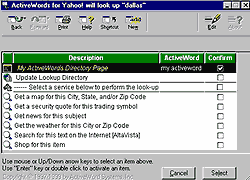
ActiveWords runs in the background and monitors everything you type. You can define shortcuts that remain constant regardless of the application. You can also create keyboard shortcuts that open an application and do something. Like open Outlook Express and download your email. You can launch applications and open folders using this utility. You can also use ActiveWords from the DOS command line. Commands available include creating an email, opening a Web page, launching any application or executing a series of "scripted" actions. Actually, this is a modern implementation of Windows 3.1x's Macro Recorder.
You can Add New ActiveWords from the program's main menu. And a wizard leads you through the process of defining shortcuts and the actions associated with them. The process can be customized too. The target application can execute on-the-fly or wait until a "hot key" is activated. And if you want to know how much time (and keystrokes) ActiveWords is saving, check out the main menu's Productivity option. This displays a detailed report.
However, you do need a reasonably fast PC with at least 64 MB RAM. That because ActiveWords can be a bit tardy on boot up. Also, the menubar docks (by default) to the top of the screen. The programme can also be too helpful and display irritating prompts that insist on helping you; after you've already enabled a shortcut. Luckily you can tweak the settings so that you decide when and whether to create a shortcut.
There are two versions available. There is the basic (free) product (7.4 MB, http://www.activewords.com/free_aic.html) as well as an enhanced version for $30. This also includes scripting, text substitution, agents for Microsoft Outlook, date/time stamps, in place math, Profiles Manager, and Productivity Centre. ActiveWords Plus is available as a 7-day trial (500 kB setup file, 15 MB complete setup, https://www.netsales.net/pk.wcgi/aws/downloadt/1362410-1).
G
Menon
[email protected]
Other Articles
ChiefChat
| GameGuide
| Mailbox
| NerdWord
| ProductPreview
| SiteScan
| Techtalk
Tips&Tweaks
| VirusWatch
| Webware