
ENIGMA BROWSER
 The
browser wars are hotting up again. Last week, I reviewed NetCaptor 6.2,
a cool, multi-window browser. If you downloaded a copy make sure to update
it to v6.2.1. which was released after we went to press.
The
browser wars are hotting up again. Last week, I reviewed NetCaptor 6.2,
a cool, multi-window browser. If you downloaded a copy make sure to update
it to v6.2.1. which was released after we went to press.
So what's next. The answer is not an Enigma. This is another light 'n fast browser that is more feature-rich than Netscape 6 or Opera. Enigma claims to be the fastest and lightest browser in town. Its fast all right, but this speed comes at a cost. As to the light part, Enigma seems to use lots of IE's under-pinnings, so the tag is subjective, I'd guess.
Enigma is available in two versions. v3.6 is free. The more full-featured, less buggy version 4.4 Gold is (unfortunately) a 30-use trial version. I downloaded and installed both. V3.6 insisted that I had to reboot my PC (Windows 9x only). What a bummer! Especially in this day and age. Both versions installed an ActiveX control on my system.
Enigma is based on a mindset that is prepared to sacrifice some of the extra bells and whistles that the big two (IE and Netscape) delight on including. However, since over 80 percent of all users don't even taste these (advanced) features, their inclusion is of doubtful utility. Still, Enigma needs at least IE4 installed. I first tried it on an old system at home (which runs pure Windows 95). And guess what; it would work.
Essentially what's different between the two versions is that the Gold version supports SSL and improved cache management. Both browser version feature two choices for several buttons; enabled with left or right mouse clicks. Enigma doesn't piggy-back on the IE favorites. Instead, its uses its own Favorites and a separate Hotlinks panel. To import your IE Favorites or Netscape Bookmarks, you need to download a separate plug-in.
I liked the IP address finder (Ctrl+I) which tells you your IP address. There's no novelty when you have a fixed one like mine. But with the dynamic addressing common on dial-up this is helpful when using a P2P (Peer-to-Peer) client like Napster. And like NetCaptor, you can also kill Popup windows.
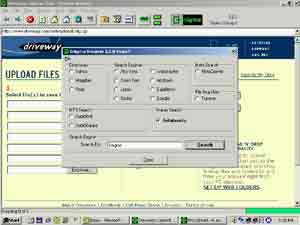
In shades of NeoPlanet, Enigma has its own, pop-up search panel. This lets you use the services of Directories like Yahoo, Magellan and Point. Search engines like Altavista, Excite, Lycos and Open text. You can also search for MP3s and for software (Tucows). There's even a Warez (cracks and hacks) search. We tried looking for a hack for Enigma itself but the browser just locked up. It seems to have to stop the current page from loading before you can initialise a search. In the event we found no hacks available.
Unlike most browsers, you can't open a new page. However, you can open a another instance of Enigma (F9). The browser lets you define two home pages. By default both are linked to the developer's site.
However, having gotten used to domain name shortcuts (after installing NetCaptor), its disconcerting to find that Enigma doesn't support them or searching for Realnames (unlike IE and Netscape). You have to type in the complete URL. You also need to be careful when using a scroll-enabled mouse. Clicking the scroll button scrolls the URLs in the Address Bar; instead of the page. You need to click on some part of the page to scroll it.
Due to possibly a programming quirk, the browser also had problems accepting user values. Each had to be saved twice to get a modified setting to work. Enigma also doesn't have a default email program. It uses whatever is set as the Windows default. But when we tried, we received an error that a particular DLL file was not loaded. Downloading files too is a hit and miss affair. And you are advised to have a download manager active if you plan to grabs lots of files from the Net.
But these glitches apart, Enigma 3.6 is well worth the download (391 kB, Windows, free. Get it from http://www.egroups.com/files/EnigmaNews/Downloads/Enigma36.zip). Get a copy today and take it for a test drive. It's great when you need to do just the basics.
G
Menon
[email protected]
Other Articles
CareerCorner | ChiefChat
| Mailbox
| ProductGuide
| ProductPreview
| SiteScan
Techtalk
| Tips&Tweaks
| VirusWatch
| Webware